Built by industry, for industry

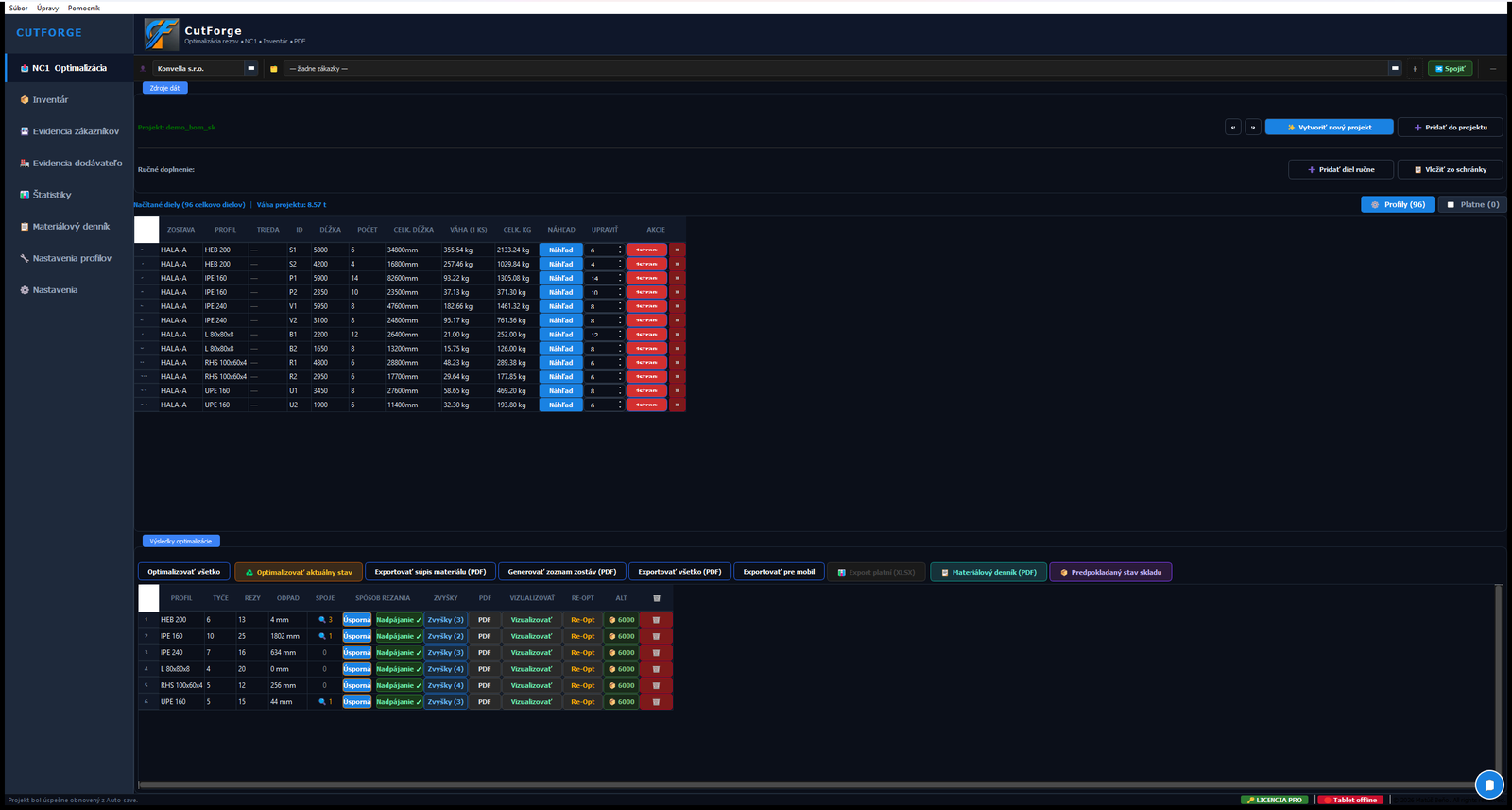
From BOM to cutting plan in under 5 minutes

Industrial-grade cutting optimization for any CNC saw using NC1/DSTV — 14 strategies on Google OR-Tools. Multi-stage projects, live shop-floor app, full material traceability.

12% → 3%
Material waste
98%
Faster planning
20
Languages
Lifetime license
🏭
Built for
Industrial CNC saws
📐
Compatible with
Tekla · Advance Steel · SolidWorks
🔬
Powered by
Google OR-Tools (MIP)
⚙️
Standards
DSTV · NC1 · ISO 9692-1
FEATURES

Everything your saw room needs

From the office to the shop floor — one tool, complete workflow.

⚙️
The engine

14-strategy optimizer

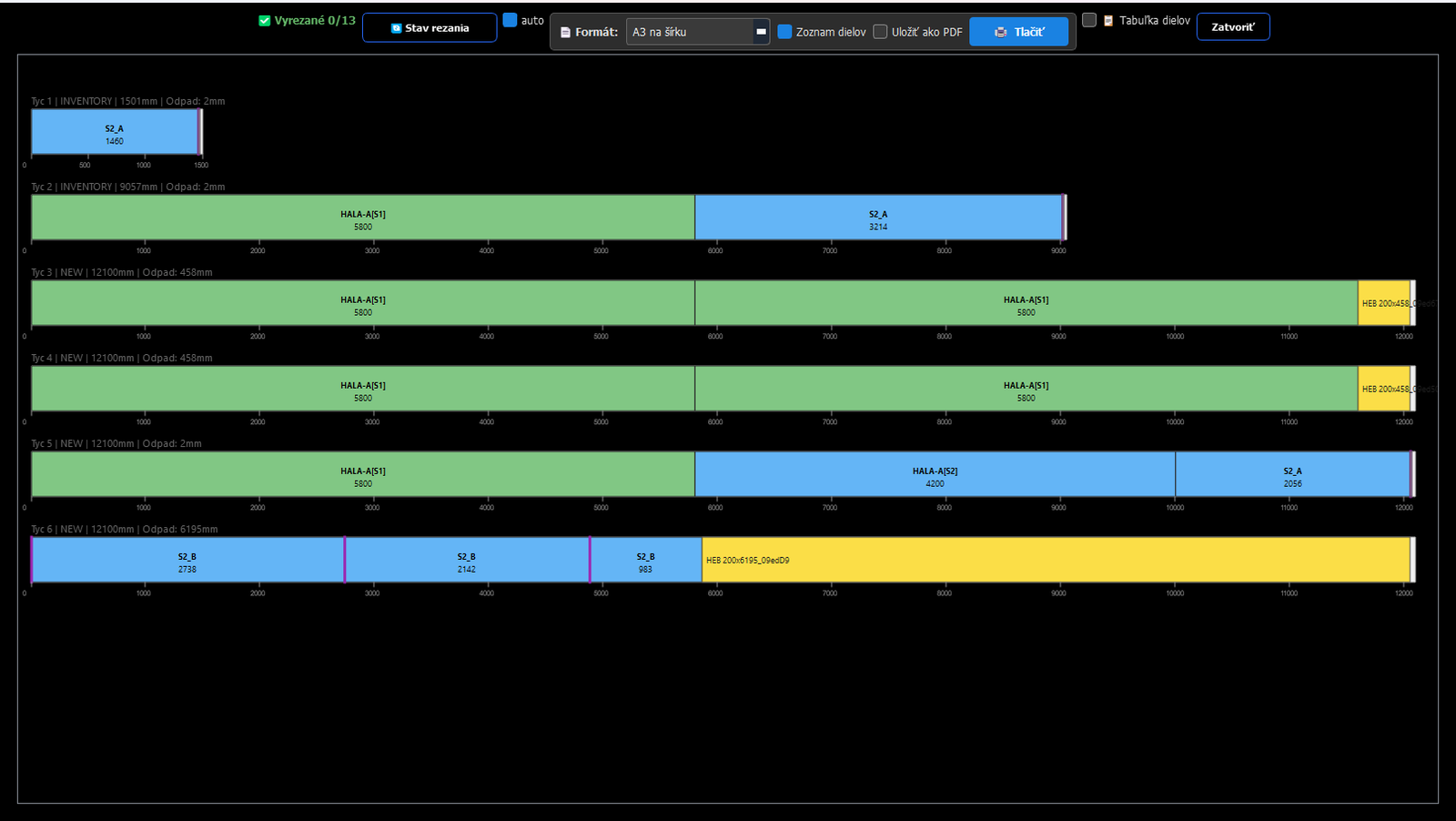
14 algorithms run in parallel — MIP (Google OR-Tools, CBC), CP-SAT, LNS, Genetic, Simulated Annealing, paired cuts, infinite belt. Best plan auto-selected.

  • ✓ Global optimum — millions of combinations per second
  • ✓ Angle nesting: chains mitred ends to save material
  • ✓ Cross-stage Smart Fill across project phases
  • ✓ Material-grade safety — S235 / S355 never mixed
  • ✓ Material waste from 12% down to under 3%
🎯

NC1 + BOM merge

Geometry from NC1 (precise angles, holes, dimensions), assembly mapping from your BOM. Zero double-entry.

🗂

Master Project — multi-stage cutting

Plan your full project in stages. Pieces from later phases adopted into current bars to save material — fully visible to operators.

  • ✓ Smart Fill: pre-produces pieces from future stages
  • ✓ Stage filter: profile, material grade, length, angles
  • ✓ Cross-stage waste reduction up to 35%
🔌
On-demand

Any format — we'll handle it

If your BOM doesn't fit standard import, we build a custom parser to fit your format. Drop a single .py file into the PARSERS folder — no core update needed.

🌍

Multi-norm profile database

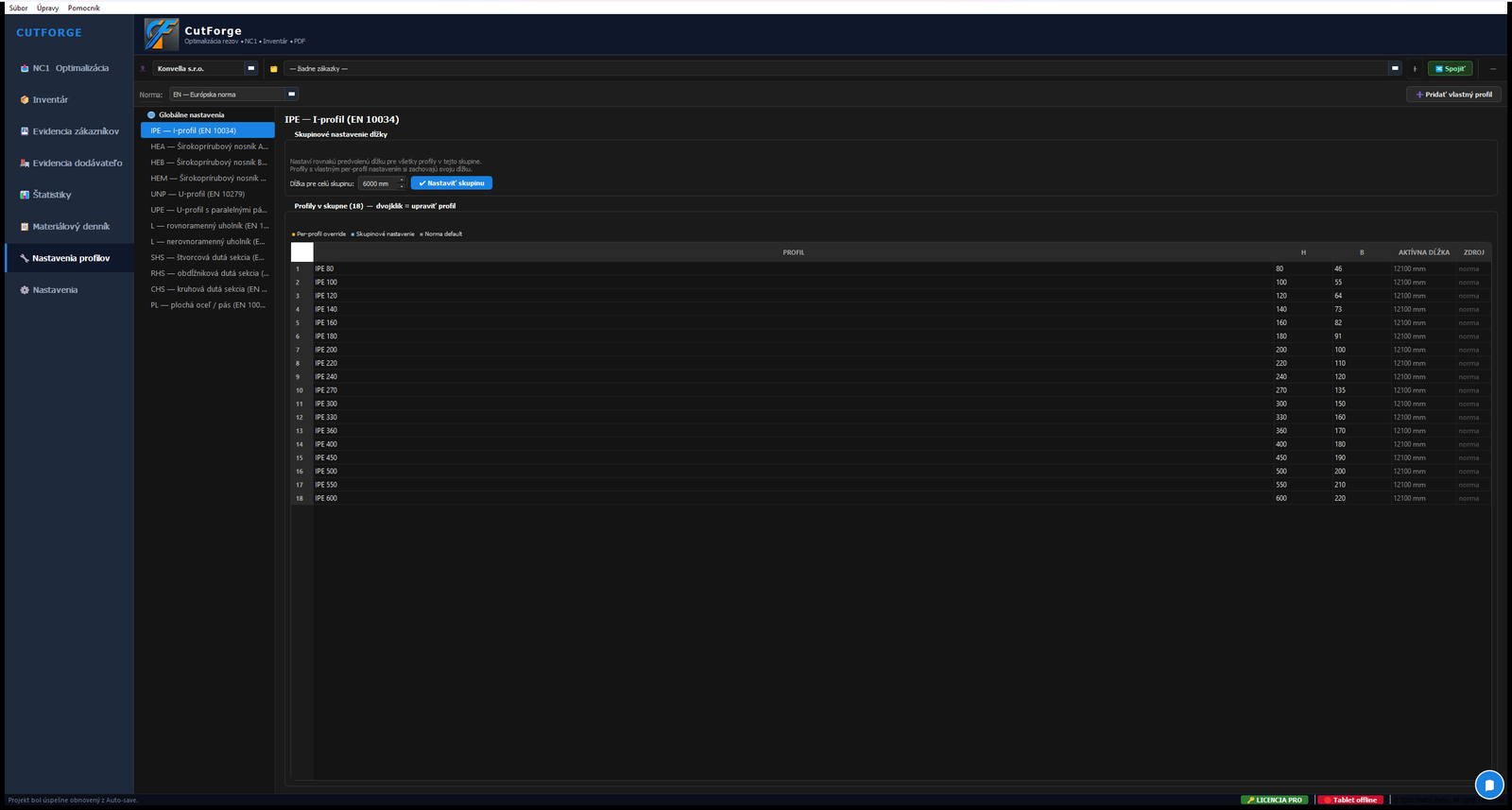
EN (Europe), BS (UK), AISC (US/CA), JIS (JP), IS (IN). Five steel standards, one tool. Add custom profiles in seconds.

📱

Shop-floor mobile PWA

Operator confirms each cut on a tablet — the office sees cut pieces highlighted live. Built-in QR/DataMatrix scanner for stock and remnants. No printed plans.

📦

Inventory & remnants

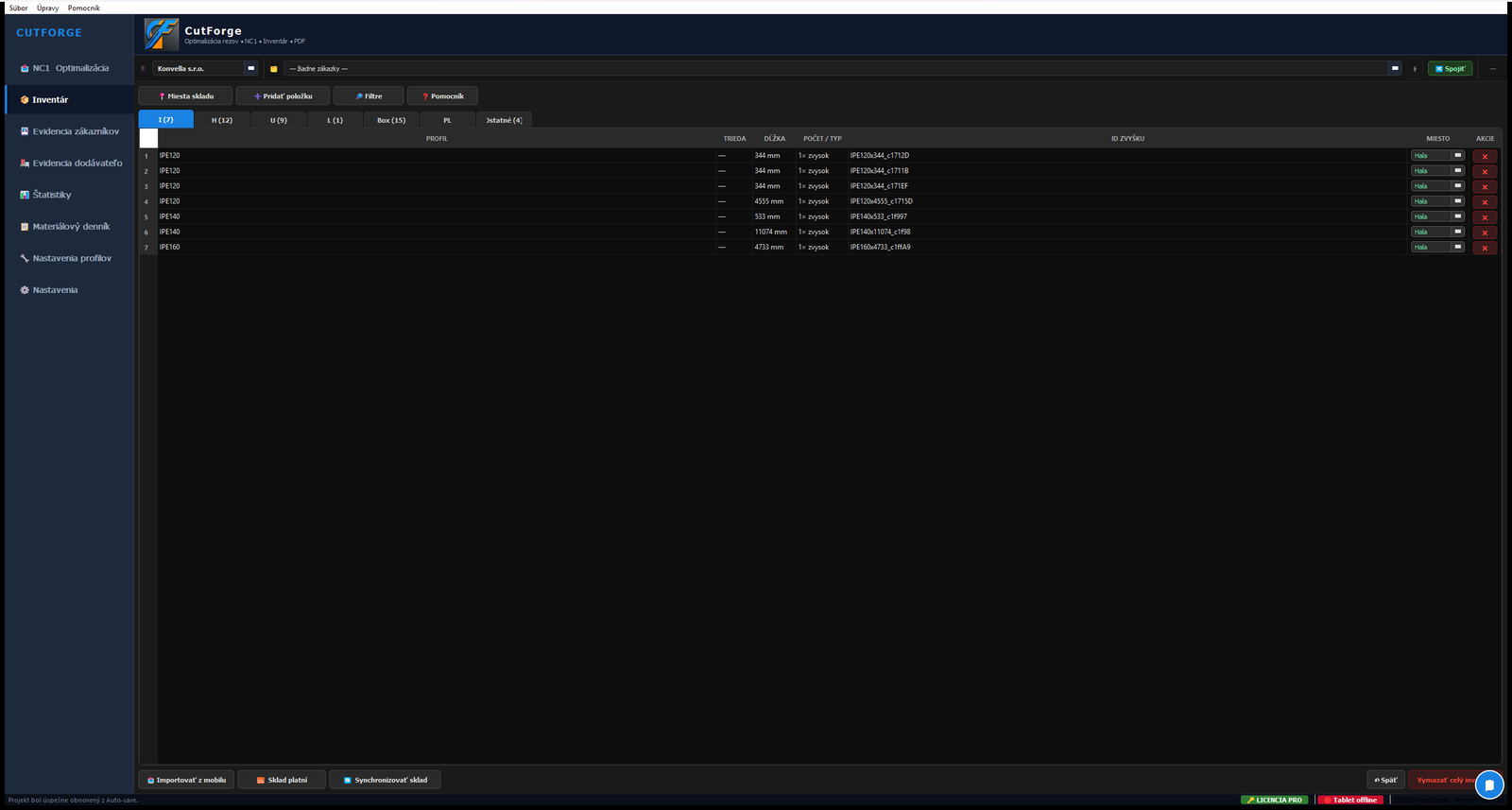
One central warehouse synced across desktop, server and tablet in real time. Optimizer pulls stock first; usable remnants return automatically. Reservations, manual edits and change-order re-optimization with live stock.

🧪

Material grade safety

S235 and S355 will never share a bar. Pre-production enforcement at the parser level.

📄

PDF reports & labels

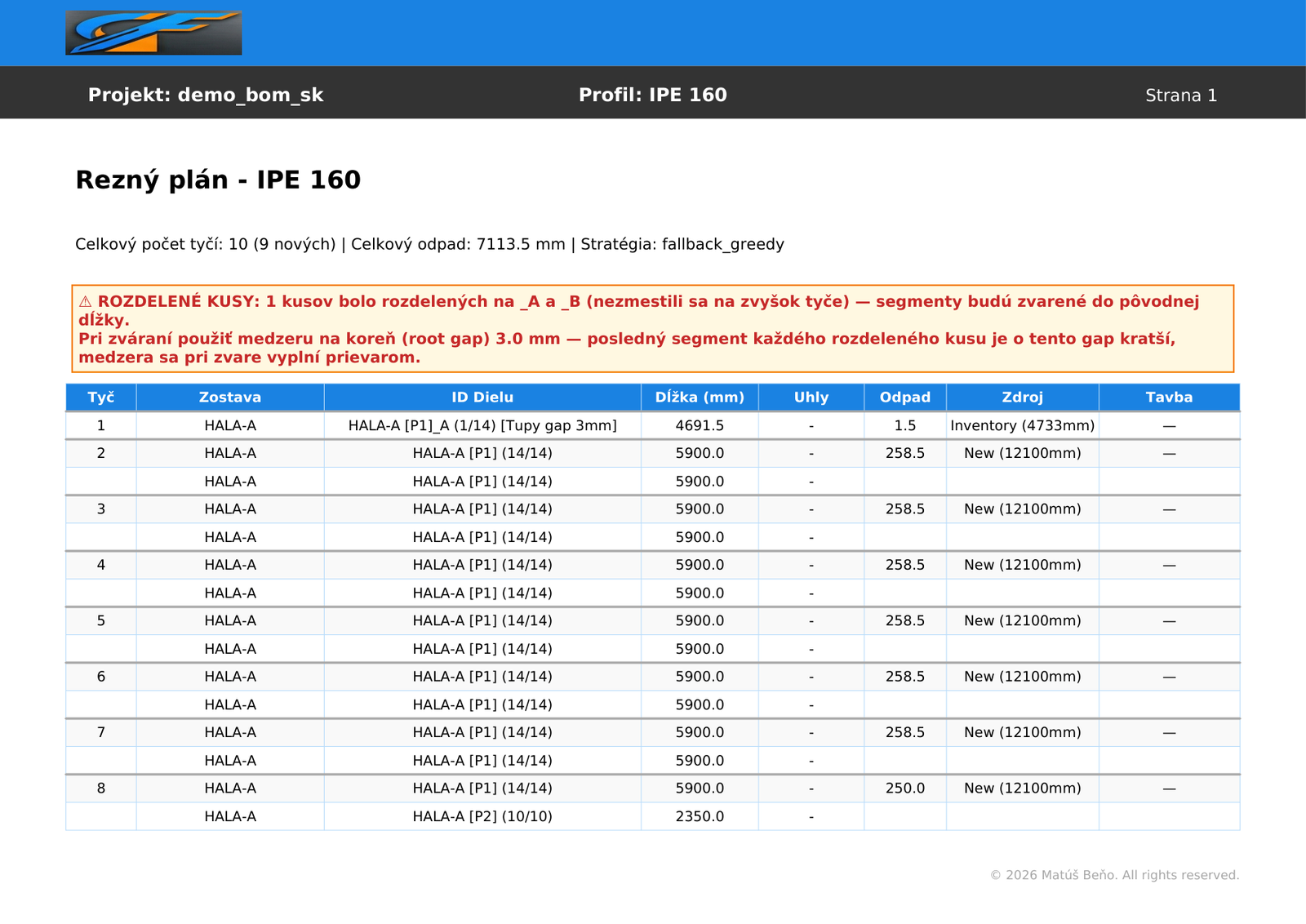
Cutting plans, material lists, QR/barcode labels for every piece — all printable, all multilingual.

✂️

Long pieces auto-split

Pieces over bar length split with welded root gap (ISO 9692-1). Optimizer accounts for it automatically.

🌐

20 languages incl. RTL

SK, EN, DE, CS, PL, FR, IT, ES, NL, DA, FI, NO, SV, RU, UK, ZH, HI, JA, AR, UR — including right-to-left layouts. PDF exports follow language.

WAREHOUSE & TRACEABILITY

Steel warehouse & full material traceability

A dedicated package for EN 1090-2 (EXC1–EXC3) and EN 10204. From goods-in to the audit binder — every piece traceable to its heat number and mill certificate.

📦
Professional package

Steel warehouse management

A complete stock module for sections and plates — built around real shop-floor flow, not a generic ERP. The optimizer pulls from stock first; usable remnants come back automatically with their heat number.

  • ✓ Sections and a separate plate register — never mixed
  • ✓ Bundle intake: supplier, delivery note, heat number
  • ✓ Min-stock alerts & one-click reorder lists
  • ✓ Multi-location storage with optimizer priority
🔥
EN 10204

Heat-number traceability

The charge (heat) number flows the entire chain: material → bar → cut → remnant → PDF cutting plan, label and the operator's tablet. No piece ever loses its identity.

📜

Mill certificates 2.1–3.2

Attach EN 10204 certificates and link them to heat numbers. Instant search by heat, grade or supplier — ready for any complaint or audit in seconds.

📋

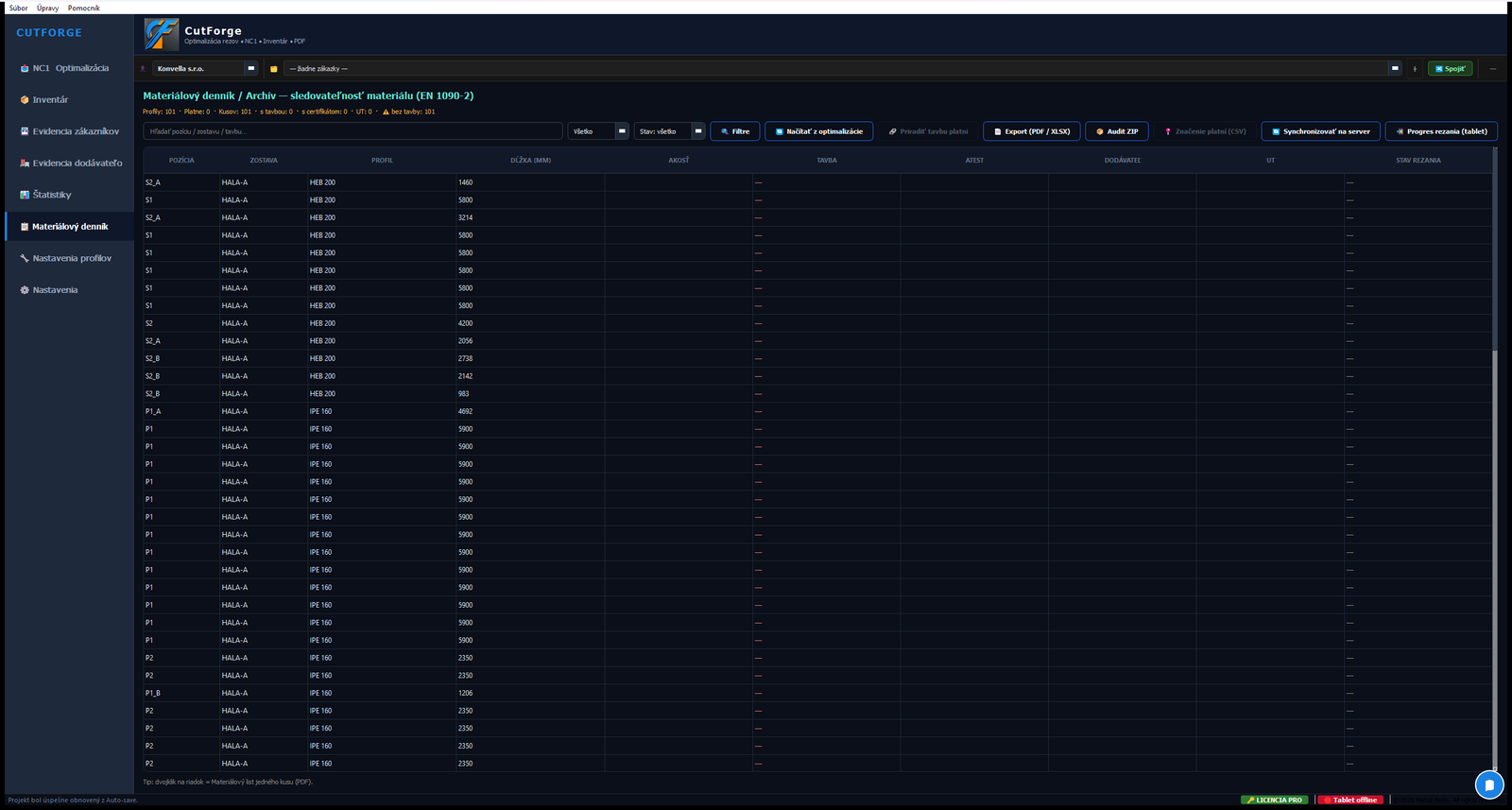
Material journal — each piece's "birth certificate"

For every piece: CAD position → grade, heat, certificate, supplier, project and stage. Search by part and by assembly. Export to PDF or Excel.

🗜️
EXC3 ready

One-click audit binder

Generate a single ZIP for the auditor: material journal (PDF + Excel) + every 3.1 certificate used on the order + an index. Position → heat → certificate, 100% matched.

🧱

Plate register & dot-peen marking

Plates are evidenced separately (no 2D nesting): assign a heat from stock, then export a DataMatrix marking file (CSV) for Technomark dot-peen machines.

HOW IT WORKS

From CAD export to first cut — 4 steps

1

Import

Drop your NC1 files + Excel/Word BOM. CutForge auto-detects format, merges geometry from NC1 with assembly identity from BOM.

.nc1 .xlsx .csv .ifc
2

Optimize

Solver runs MIP optimization with your saw width, clamp clearances, root gap. Smart Fill suggests cross-stage adoptions.

OR-Tools Multi-strategy < 30s
3

Review

Visualize bars, validate against NC1 geometry, generate PDF cutting plans + material lists with QR/barcode labels.

PDF Excel QR/Barcode
4

Cut

Operator opens mobile PWA on a tablet at the saw. Each piece confirmed visually — no printed plans, no errors.

PWA Offline Real-time
WATCH IT WORK

The optimizer in action

A live recording from the saw room. Pieces drop into bars, the solver reshuffles them, and the final cutting plan emerges — exactly what your CNC will execute.

WHY SWITCH

Manual planning vs. CutForge

Aspect
Manual at the saw
CutForge Pro
Planning time per project
Hours of manual math
Under 5 minutes
Material waste
10–15% (typical)
1–3%* (optimal)
Input errors
Common (re-typing)
Zero (direct import)
Multi-stage planning
Each stage independent
Cross-stage Smart Fill
Operator workflow
Printed plans, error-prone
Mobile PWA, every cut confirmed
Material grade safety
Risk of mixing S235 / S355
Hard separation enforced
Inventory & remnants
Forgotten in the corner
Tracked, reused, prioritized

* Optimum achievable with regular use, a working inventory and continuous order flow. Actual results vary by profile mix, material availability and project type.

ROI CALCULATOR

How much can you save per year?

Adjust your numbers — see your yearly profit and CO₂ reduction in real time.

Yearly net profit
0 €
Monthly
0 €
CO₂ saved
0 t
Project scale
0 bars
Yield gain
+ 0 %

Profit accounts for saved material purchase minus lost scrap revenue.

UNDER THE HOOD

Industrial-grade math at the saw room

CutForge uses Mixed-Integer Programming (MIP) via Google OR-Tools to solve the 1D bin-packing problem. The engine evaluates millions of combinations to find the global optimum — something the human brain at the saw simply cannot match.

Google OR-Tools Solver
PuLP MIP Modeling
DSTV NC1 Standard
ISO 9692-1 Welding
PRICING

Pay once. Use forever.

No subscriptions. No vendor lock-in. Lifetime updates per machine.

Base

Contact us per machine, lifetime
  • ✓ Cutting optimization (14 strategies)
  • ✓ NC1 / Excel / Word import
  • ✓ PDF cutting plans, material lists, QR labels
  • ✓ Session inventory
Request quote

Mobile add-on

Add-on to Base or Complete
  • ✓ Shop-floor PWA on tablets
  • ✓ Live cut confirmation → office sees progress
  • ✓ QR/DataMatrix scanner, labels, reservations
  • ✓ Unlimited operators
Request quote
QUESTIONS?

Frequently asked

Is the license really lifetime?
Yes. One-time payment per machine, no subscriptions, no online activation required after install. You get all updates within the major version for life.
Which CAD systems are supported?
Any system that exports Excel, CSV, NC1 (DSTV) or DXF: Tekla, Advance Steel, SolidWorks, Bocad, ProSteel, IDEA StatiCa, and more. Custom parsers handle non-standard layouts.
My BOM has a custom format — do you support it?
Send us 2–3 sample files. We develop a plug-in parser as a one-time service (typically 400–800 €). Drop the .py file into PARSERS folder — no core update needed.
Does the mobile app work offline?
Yes. The PWA caches the active project locally. Operators can confirm cuts even with weak Wi-Fi at the saw — sync happens when connection returns.
Will it work with my existing inventory?
Yes. Inventory module tracks usable remnants vs. real waste. Each optimization run prioritizes leftover stock before suggesting new bars.
What about material grades — S235 vs S355?
CutForge enforces hard separation: pieces from S235 will never share a bar with S355. The parser auto-detects grades from BOM or NC1.

Try CutForge — 14 days, full access

Windows ZIP · ~190 MB · no card, no commitment · BETA

⬇ Download Beta (.zip)

Unzip and run CutForge.exe. First launch creates a free trial license tied to your PC's hardware ID. On first launch Windows may show a SmartScreen warning ("Windows protected your PC") — click More info → Run anyway. Normal for un-signed beta builds.

GET IN TOUCH

Let's talk about your saw room

Quotes, demos, custom parsers — usually replied within 24 hours.

Or write directly: cutforge@cutforge.eu